ブログ
/
Network
/
April 5, 2023

Understanding Qakbot Infections and Attack Paths

Explore the network-based analysis of Qakbot infections with Darktrace. Learn about the various attack paths used by cybercriminals and Darktrace's response.
Inside the SOC
Darktrace cyber analysts are world-class experts in threat intelligence, threat hunting and incident response, and provide 24/7 SOC support to thousands of Darktrace customers around the globe. Inside the SOC is exclusively authored by these experts, providing analysis of cyber incidents and threat trends, based on real-world experience in the field.
Written by
Sam Lister
Specialist Security Researcher
Written by
Connor Mooney
SOC Analyst
Default blog image
05
Apr 2023

In an ever-changing threat landscape, security vendors around the world are forced to quickly adapt, react, and respond to known attack vectors and threats. In the face of this, malicious actors are constantly looking for novel ways to gain access to networks. Whether that’s through new exploitations of network vulnerabilities or new delivery methods, attackers and their methods are continually evolving. Although it is valuable for organizations to leverage threat intelligence to keep abreast of known threats to their networks, intelligence alone is not enough to defend against increasingly versatile attackers. Having an autonomous decision maker able to detect and respond to emerging threats, even those employing novel or unknown techniques, is paramount to defend against network compromise.

At the end of January 2023, threat actors began to abuse OneNote attachments to deliver the malware strain, Qakbot, onto users' devices. Widespread adoption of this novel delivery method resulted in a surge in Qakbot infections across Darktrace's customer base between the end of January 2023 and the end of February 2023. Using its Self-Learning AI, Darktrace was able to uncover and respond to these so-called ‘QakNote’ infections as the new trend emerged. Darktrace detected and responded to the threat at multiple stages of the kill chain, preventing damaging and widespread compromise to customer networks.

Qakbot and The Recent Weaponization of OneNote

Qakbot first appeared in 2007 as a banking trojan designed to steal sensitive data such as banking credentials. Since then, Qakbot has evolved into a highly modular, multi-purpose tool, with backdoor, payload delivery, reconnaissance, lateral movement, and data exfiltration capabilities. Although Qakbot's primary delivery method has always been email-based, threat actors have been known to modify their email-based delivery methods of Qakbot in the face of changing circumstances. In the first half of 2022, Microsoft started rolling out versions of Office which block XL4 and VBA macros by default [1]/[2]/[3]. Prior to this change, Qakbot email campaigns typically consisted in the spreading of deceitful emails with Office attachments containing malicious macros. In the face of Microsoft's default blocking of macros, threat actors appeared to cease delivering Qakbot via Office attachments, and shifted to primarily using HTML attachments, through a method known as 'HTML smuggling' [4]/[5]. After the public disclosure [6] of the Follina vulnerability (CVE-2022-30190) in Microsoft Support Diagnostic Tool (MSDT) in May 2022, Qakbot actors were seen capitalizing on the vulnerability to facilitate their email-based delivery of Qakbot payloads [7]/[8]/[9]. 

Given the inclination of Qakbot actors to adapt their email-based delivery methods, it is no surprise that they were quick to capitalize on the novel OneNote-based delivery method which emerged in December 2022. Since December 2022, threat actors have been seen using OneNote attachments to deliver a variety of malware strains, ranging from Formbook [10] to AsynRAT [11] to Emotet [12]. The abuse of OneNote documents to deliver malware is made possible by the fact that OneNote allows for the embedding of executable file types such as HTA files, CMD files, and BAT files. At the end of January 2023, actors started to leverage OneNote attachments to deliver Qakbot [13]/[14]. The adoption of this novel delivery method by Qakbot actors resulted in a surge in Qakbot infections in the wider threat landscape and across the Darktrace customer base.

Observed Activity Chains

Between January 31 and February 24, 2023, Darktrace observed variations of the following pattern of activity across its customer base:

1. User's device contacts OneNote-related endpoint 

2. User's device makes an external GET request with an empty Host header, a target URI whose final segment consists in 5 or 6 digits followed by '.dat', and a User-Agent header referencing either cURL or PowerShell. The GET request is responded to with a DLL file

3. User's device makes SSL connections over ports 443 and 2222 to unusual external endpoints, and makes TCP connections over port 65400 to 23.111.114[.]52

4. User's device makes SSL connections over port 443 to an external host named 'bonsars[.]com' (IP: 194.165.16[.]56) and TCP connections over port 443 to 78.31.67[.]7

5. User’s device makes call to Endpoint Mapper service on internal systems and then connects to the Service Control Manager (SCM) 

6. User's device uploads files with algorithmically generated names and ‘.dll’ or ‘.dll.cfg’ file extensions to SMB shares on internal systems

7. User's device makes Service Control requests to the systems to which it uploaded ‘.dll’ and ‘.dll.cfg’ files 

Further investigation of these chains of activity revealed that they were parts of Qakbot infections initiated via interactions with malicious OneNote attachments. 

Figure 1: Steps of observed QakNote infections.

Delivery Phase

Users' interactions with malicious OneNote attachments, which were evidenced by devices' HTTPS connections to OneNote-related endpoints, such as 'www.onenote[.]com', 'contentsync.onenote[.]com', and 'learningtools.onenote[.]com', resulted in the retrieval of Qakbot DLLs from unusual, external endpoints. In some cases, the user's interaction with the malicious OneNote attachment caused their device to fetch a Qakbot DLL using cURL, whereas, in other cases, it caused their device to download a Qakbot DLL using PowerShell. These different outcomes reflected variations in the contents of the executable files embedded within the weaponized OneNote attachments. In addition to having cURL and PowerShell User-Agent headers, the HTTP requests triggered by interaction with these OneNote attachments had other distinctive features, such as empty host headers and target URIs whose last segment consists in 5 or 6 digits followed by '.dat'. 

Figure 2: Model breach highlighting a user’s device making a HTTP GET request to 198.44.140[.]78 with a PowerShell User-Agent header and the target URI ‘/210/184/187737.dat’.
Figure 3: Model breach highlighting a user’s device making a HTTP GET request to 103.214.71[.]45 with a cURL User-Agent header and the target URI ‘/70802.dat’.
Figure 4: Event Log showing a user’s device making a GET request with a cURL User-Agent header to 185.231.205[.]246 after making an SSL connection to contentsync.onenote[.]com.
Figure 5: Event Log showing a user’s device making a GET request with a cURL User-Agent header to 185.231.205[.]246 after making an SSL connection to www.onenote[.]com.

Command and Control Phase

After fetching Qakbot DLLs, users’ devices were observed making numerous SSL connections over ports 443 and 2222 to highly unusual, external endpoints, as well as large volumes of TCP connections over port 65400 to 23.111.114[.]52. These connections represented Qakbot-infected devices communicating with command and control (C2) infrastructure. Qakbot-infected devices were also seen making intermittent connections to legitimate endpoints, such as 'xfinity[.]com', 'yahoo[.]com', 'verisign[.]com', 'oracle[.]com', and 'broadcom[.]com', likely due to Qakbot making connectivity checks. 

Figure 6: Event Log showing a user’s device contacting Qakbot C2 infrastructure and making connectivity checks to legitimate domains.
Figure 7: Event Log showing a user’s device contacting Qakbot C2 infrastructure and making connectivity checks to legitimate domains.

Cobalt Strike and VNC Phase

After Qakbot-infected devices established communication with C2 servers, they were observed making SSL connections to the external endpoint, bonsars[.]com, and TCP connections to the external endpoint, 78.31.67[.]7. The SSL connections to bonsars[.]com were C2 connections from Cobalt Strike Beacon, and the TCP connections to 78.31.67[.]7 were C2 connections from Qakbot’s Virtual Network Computing (VNC) module [15]/[16]. The occurrence of these connections indicate that actors leveraged Qakbot infections to drop Cobalt Strike Beacon along with a VNC payload onto infected systems. The deployment of Cobalt Strike and VNC likely provided actors with ‘hands-on-keyboard’ access to the Qakbot-infected systems. 

Figure 8: Advanced Search logs showing a user’s device contacting OneNote endpoints, fetching a Qakbot DLL over HTTP, making SSL connections to Qakbot infrastructure and connectivity checks to legitimate domains, and then making SSL connections to the Cobalt Strike endpoint, bonsars[.]com.
Figure 9: Event Log showing a user’s device contacting the Cobalt Strike C2 endpoint, bonsars[.]com, and the VNC C2 endpoint, 78.31.67[.]7, whilst simultaneously contacting the Qakbot C2 endpoint, 47.32.78[.]150.

Lateral Movement Phase

After dropping Cobalt Strike Beacon and a VNC module onto Qakbot-infected systems, actors leveraged their strengthened foothold to connect to the Service Control Manager (SCM) on internal systems in preparation for lateral movement. Before connecting to the SCM, infected systems were seen making calls to the Endpoint Mapper service, likely to identify exposed Microsoft Remote Procedure Call (MSRPC) services on internal systems. The MSRPC service, Service Control Manager (SCM), is known to be abused by Cobalt Strike to create and start services on remote systems. Connections to this service were evidenced by OpenSCManager2  (Opnum: 0x40) and OpenSCManagerW (Opnum: 0xf) calls to the svcctl RPC interface. 

Figure 10: Advanced Search logs showing a user’s device contacting the Endpoint Mapper and Service Control Manager (SCM) services on internal systems. 

After connecting to the SCM on internal systems, infected devices were seen using SMB to distribute files with ‘.dll’ and ‘.dll.cfg’ extensions to SMB shares. These uploads were followed by CreateWowService (Opnum: 0x3c) calls to the svcctl interface, likely intended to execute the uploaded payloads. The naming conventions of the uploaded files indicate that they were Qakbot payloads. 

Figure 11: Advanced Search logs showing a user’s device making Service Control DCE-RPC requests to internal systems after uploading ‘.dll’ and ‘.dll.cfg’ files to them over SMB.

Fortunately, none of the observed QakNote infections escalated further than this. If these infections had escalated, it is likely that they would have resulted in the widespread detonation of additional malicious payloads, such as ransomware.  

Darktrace Coverage of QakNote Activity

Figure 1 shows the steps involved in the QakNote infections observed across Darktrace’s customer base. How far attackers got along this chain was in part determined by the following three factors:

The presence of Darktrace/Email typically stopped QakNote infections from moving past the initial infection stage. The presence of RESPOND/Network significantly slowed down observed activity chains, however, infections left unattended and not mitigated by the security teams were able to progress further along the attack chain. 

Darktrace observed varying properties in the QakNote emails detected across the customer base. OneNote attachments were typically detected as either ‘application/octet-stream’ files or as ‘application/x-tar’ files. In some cases, the weaponized OneNote attachment embedded a malicious file, whereas in other cases, the OneNote file embedded a malicious link (typically a ‘.png’ or ‘.gif’ link) instead. In all cases Darktrace observed, QakNote emails used subject lines starting with ‘RE’ or ‘FW’ to manipulating their recipients into thinking that such emails were part of an existing email chain/thread. In some cases, emails impersonated users known to their recipients by including the names of such users in their header-from personal names. In many cases, QakNote emails appear to have originated from likely hijacked email accounts. These are highly successful methods of social engineering often employed by threat actors to exploit a user’s trust in known contacts or services, convincing them to open malicious emails and making it harder for security tools to detect.

The fact that observed QakNote emails used the fake-reply method, were sent from unknown email accounts, and contained attachments with unusual MIME types, caused such emails to breach the following Darktrace/Email models:

  • Association / Unknown Sender
  • Attachment / Unknown File
  • Attachment / Unsolicited Attachment
  • Attachment / Highly Unusual Mime
  • Attachment / Unsolicited Anomalous Mime
  • Attachment / Unusual Mime for Organisation
  • Unusual / Fake Reply
  • Unusual / Unusual Header TLD
  • Unusual / Fake Reply + Unknown Sender
  • Unusual / Unusual Connection from Unknown
  • Unusual / Off Topic

QakNote emails impersonating known users also breached the following DETECT & RESPOND/Email models:

  • Unusual / Unrelated Personal Name Address
  • Spoof / Basic Known Entity Similarities
  • Spoof / Internal User Similarities
  • Spoof / External User Similarities
  • Spoof / Internal User Similarities + Unrelated Personal Name Address
  • Spoof / External User Similarities + Unrelated Personal Name Address
  • Spoof / Internal User Similarities + Unknown File
  • Spoof / External User Similarities + Fake Reply
  • Spoof / Possible User Spoof from New Address - Enhanced Internal Similarities
  • Spoof / Whale

The actions taken by Darktrace on the observed emails is ultimately determined by Darktrace/Email models are breached. Those emails which did not breach Spoofing models (due to lack of impersonation indicators) received the ‘Convert Attachment’ action. This action converts suspicious attachments into neutralized PDFs, in this case successfully unweaponizing the malicious OneNote attachments. QakNote emails which did breach Spoofing models (due to the presence of impersonation indicators) received the strongest possible action, ‘Hold Message’. This action prevents suspicious emails from reaching the recipients’ mailbox. 

Figure 12: Email log showing a malicious OneNote email (without impersonation indicators) which received a 87% anomaly score, a ‘Move to junk’ action, and a ‘Convert attachment’ actions from Darktrace/Email.
Figure 13: Email log showing a malicious OneNote email (with impersonation indicators) which received an anomaly score of 100% and a ‘Hold message’ action from Darktrace/Email.
Figure 14: Email log showing a malicious OneNote email (with impersonation indicators) which received an anomaly score of 100% and a ‘Hold message’ action from Darktrace/Email.

If threat actors managed to get past the first stage of the QakNote kill chain, likely due to the absence of appropriate email security tools, the execution of the subsequent steps resulted in strong intervention from Darktrace/Network. 

Interactions with malicious OneNote attachments caused their devices to fetch a Qakbot DLL from a remote server via HTTP GET requests with an empty Host header and either a cURL or PowerShell User-Agent header. These unusual HTTP behaviors caused the following Darktrace/Network models to breach:

  • Device / New User Agent
  • Device / New PowerShell User Agent
  • Device / New User Agent and New IP
  • Anomalous Connection / New User Agent to IP Without Hostname
  • Anomalous Connection / Powershell to Rare External
  • Anomalous File / Numeric File Download
  • Anomalous File / EXE from Rare External Location
  • Anomalous File / New User Agent Followed By Numeric File Download

For customers with RESPOND/Network active, these breaches resulted in the following autonomous actions:

  • Enforce group pattern of life for 30 minutes
  • Enforce group pattern of life for 2 hours
  • Block connections to relevant external endpoints over relevant ports for 2 hours   
  • Block all outgoing traffic for 10 minutes
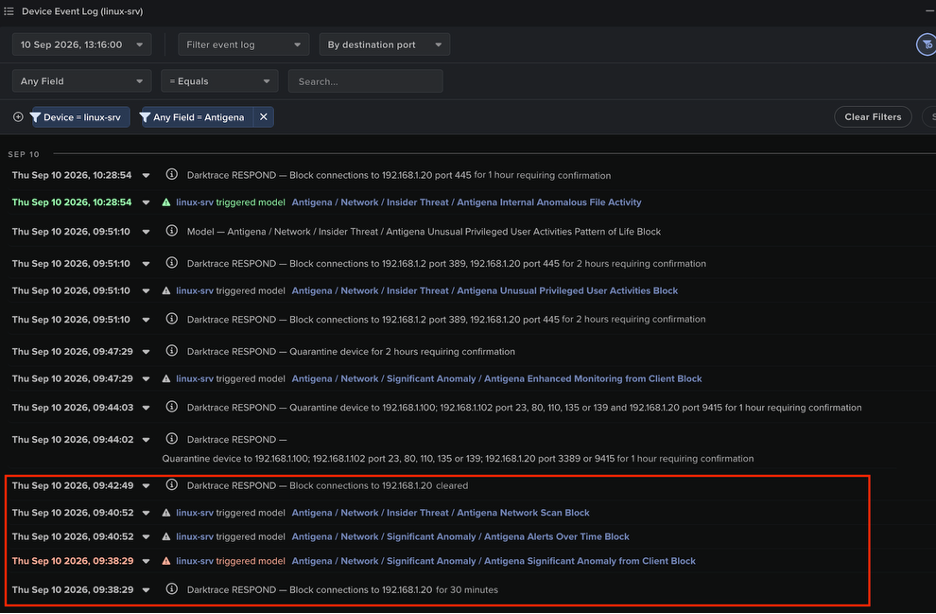
Figure 15: Event Log showing a user’s device receiving Darktrace RESPOND/Network actions after downloading a Qakbot DLL. 
Figure 16: Event Log showing a user’s device receiving Darktrace RESPOND/Network actions after downloading a Qakbot DLL.

Successful, uninterrupted downloads of Qakbot DLLs resulted in connections to Qakbot C2 servers, and subsequently to Cobalt Strike and VNC C2 connections. These C2 activities resulted in breaches of the following DETECT/Network models:

  • Compromise / Suspicious TLS Beaconing To Rare External
  • Compromise / Large Number of Suspicious Successful Connections
  • Compromise / Large Number of Suspicious Failed Connections
  • Compromise / Sustained SSL or HTTP Increase
  • Compromise / Sustained TCP Beaconing Activity To Rare Endpoint
  • Compromise / Beaconing Activity To External Rare
  • Compromise / Slow Beaconing Activity To External Rare
  • Anomalous Connection / Multiple Connections to New External TCP Port
  • Anomalous Connection / Multiple Failed Connections to Rare Endpoint
  • Device / Initial Breach Chain Compromise

For customers with RESPOND/Network active, these breaches caused RESPOND to autonomously perform the following actions:

  • Block connections to relevant external endpoints over relevant ports for 1 hour
Figure 17: Event Log showing a user’s device receiving RESPOND/Network actions after contacting the Qakbot C2 endpoint,  Cobalt Strike C2 endpoint, bonsars[.]com.

In cases where C2 connections were allowed to continue, actors attempted to move laterally through usage of SMB and Service Control Manager. This lateral movement activity caused the following DETECT/Network models to breach:

  • Device / Possible SMB/NTLM Reconnaissance
  • Anomalous Connection / New or Uncommon Service Control 

For customers with RESPOND/Network enabled, these breaches caused RESPOND to autonomously perform the following actions:

  • Block connections to relevant internal endpoints over port 445 for 1 hour
Figure 18: Event Log shows a user’s device receiving RESPOND/Network actions after contacting the Qakbot C2 endpoint, 5.75.205[.]43, and distributing ‘.dll’ and ‘.dll.cfg’ files internally.

The QakNote infections observed across Darktrace’s customer base involved several steps, each of which elicited alerts and autonomous preventative actions from Darktrace. By autonomously investigating the alerts from DETECT, Darktrace’s Cyber AI Analyst was able to connect the distinct steps of observed QakNote infections into single incidents. It then produced incident logs to present in-depth details of the activity it uncovered, provide full visibility for customer security teams.

Figure 19: AI Analyst incident entry showing the steps of a QakNote infection which AI Analyst connected following its autonomous investigations.

Conclusion

Faced with the emerging threat of QakNote infections, Darktrace demonstrated its ability to autonomously detect and respond to arising threats in a constantly evolving threat landscape. The attack chains which Darktrace observed across its customer base involved the delivery of Qakbot via malicious OneNote attachments, the usage of ports 65400 and 2222 for Qakbot C2 communication, the usage of Cobalt Strike Beacon and VNC for ‘hands-on-keyboard’ activity, and the usage of SMB and Service Control Manager for lateral movement. 

Despite the novelty of the OneNote-based delivery method, Darktrace was able to identify QakNote infections across its customer base at various stages of the kill chain, using its autonomous anomaly-based detection to identify unusual activity or deviations from expected behavior. When active, Darktrace/Email neutralized malicious QakNote attachments sent to employees. In cases where Darktrace/Email was not active, Darktrace/Network detected and slowed down the unusual network activities which inevitably ensued from Qakbot infections. Ultimately, this intervention from Darktrace’s products prevented infections from leading to further harmful activity, such as data exfiltration and the detonation of ransomware.

Darktrace is able to offer customers an unparalleled level of network security by combining both Darktrace/Network and Darktrace/Email, safeguarding both their email and network environments. With its suite of products, including DETECT and RESPOND, Darktrace can autonomously uncover threats to customer networks and instantaneously intervene to prevent suspicious activity leading to damaging compromises. 

Appendices

MITRE ATT&CK Mapping 

Initial Access:

T1566.001 – Phishing: Spearphishing Attachment

Execution:

T1204.001 – User Execution: Malicious Link

T1204.002 – User Execution: Malicious File

T1569.002 – System Services: Service Execution

Lateral Movement:

T1021.002 – Remote Services: SMB/Windows Admin Shares

Command and Control:

T1573.002 – Encrypted Channel : Asymmetric Cryptography

T1571 – Non-Standard Port 

T1105 – Ingress Tool Transfer

T1095 –  Non-Application Layer Protocol

T1219 – Remote Access Software

List of IOCs

IP Addresses and/or Domain Names:

- 103.214.71[.]45 - Qakbot download infrastructure 

- 141.164.35[.]94 - Qakbot download infrastructure 

- 95.179.215[.]225 - Qakbot download infrastructure 

- 128.254.207[.]55 - Qakbot download infrastructure

- 141.164.35[.]94 - Qakbot download infrastructure

- 172.96.137[.]149 - Qakbot download infrastructure

- 185.231.205[.]246 - Qakbot download infrastructure

- 216.128.146[.]67 - Qakbot download infrastructure 

- 45.155.37[.]170 - Qakbot download infrastructure

- 85.239.41[.]55 - Qakbot download infrastructure

- 45.67.35[.]108 - Qakbot download infrastructure

- 77.83.199[.]12 - Qakbot download infrastructure 

- 45.77.63[.]210 - Qakbot download infrastructure 

- 198.44.140[.]78 - Qakbot download infrastructure

- 47.32.78[.]150 - Qakbot C2 infrastructure

- 197.204.13[.]52 - Qakbot C2 infrastructure

- 68.108.122[.]180 - Qakbot C2 infrastructure

- 2.50.48[.]213 - Qakbot C2 infrastructure

- 66.180.227[.]60 - Qakbot C2 infrastructure

- 190.206.75[.]58 - Qakbot C2 infrastructure

- 109.150.179[.]236 - Qakbot C2 infrastructure

- 86.202.48[.]142 - Qakbot C2 infrastructure

- 143.159.167[.]159 - Qakbot C2 infrastructure

- 5.75.205[.]43 - Qakbot C2 infrastructure

- 184.176.35[.]223 - Qakbot C2 infrastructure 

- 208.187.122[.]74 - Qakbot C2 infrastructure

- 23.111.114[.]52 - Qakbot C2 infrastructure 

- 74.12.134[.]53 – Qakbot C2 infrastructure

- bonsars[.]com • 194.165.16[.]56 - Cobalt Strike C2 infrastructure 

- 78.31.67[.]7 - VNC C2 infrastructure

Target URIs of GET Requests for Qakbot DLLs:

- /70802.dat 

- /51881.dat

- /12427.dat

- /70136.dat

- /35768.dat

- /41981.dat

- /30622.dat

- /72286.dat

- /46557.dat

- /33006.dat

- /300332.dat

- /703558.dat

- /760433.dat

- /210/184/187737.dat

- /469/387/553748.dat

- /282/535806.dat

User-Agent Headers of GET Requests for Qakbot DLLs:

- curl/7.83.1

- curl/7.55.1

- Mozilla/5.0 (Windows NT; Windows NT 10.0; en-US) WindowsPowerShell/5.1.19041.2364

- Mozilla/5.0 (Windows NT; Windows NT 10.0; en-US) WindowsPowerShell/5.1.17763.3770

- Mozilla/5.0 (Windows NT; Windows NT 10.0; en-GB) WindowsPowerShell/5.1.19041.2364

SHA256 Hashes of Downloaded Qakbot DLLs:  

- 83e9bdce1276d2701ff23b1b3ac7d61afc97937d6392ed6b648b4929dd4b1452

- ca95a5dcd0194e9189b1451fa444f106cbabef3558424d9935262368dba5f2c6 

- fa067ff1116b4c8611eae9ed4d59a19d904a8d3c530b866c680a7efeca83eb3d

- e6853589e42e1ab74548b5445b90a5a21ff0d7f8f4a23730cffe285e2d074d9e

- d864d93b8fd4c5e7fb136224460c7b98f99369fc9418bae57de466d419abeaf6

- c103c24ccb1ff18cd5763a3bb757ea2779a175a045e96acbb8d4c19cc7d84bea

Names of Internally Distributed Qakbot DLLs: 

- rpwpmgycyzghm.dll

- rpwpmgycyzghm.dll.cfg

- guapnluunsub.dll

- guapnluunsub.dll.cfg

- rskgvwfaqxzz.dll

- rskgvwfaqxzz.dll.cfg

- hkfjhcwukhsy.dll

- hkfjhcwukhsy.dll.cfg

- uqailliqbplm.dll

- uqailliqbplm.dll.cfg

- ghmaorgvuzfos.dll

- ghmaorgvuzfos.dll.cfg

Links Found Within Neutralized QakNote Email Attachments:

- hxxps://khatriassociates[.]com/MBt/3.gif

- hxxps://spincotech[.]com/8CoBExd/3.gif

- hxxps://minaato[.]com/tWZVw/3.gif

- hxxps://famille2point0[.]com/oghHO/01.png

- hxxps://sahifatinews[.]com/jZbaw/01.png

- hxxp://87.236.146[.]112/62778.dat

- hxxp://87.236.146[.]112/59076.dat

- hxxp://185.231.205[.]246/73342.dat

References

[1] https://techcommunity.microsoft.com/t5/excel-blog/excel-4-0-xlm-macros-now-restricted-by-default-for-customer/ba-p/3057905

[2] https://techcommunity.microsoft.com/t5/microsoft-365-blog/helping-users-stay-safe-blocking-internet-macros-by-default-in/ba-p/3071805

[3] https://learn.microsoft.com/en-us/deployoffice/security/internet-macros-blocked

[4] https://www.cyfirma.com/outofband/html-smuggling-a-stealthier-approach-to-deliver-malware/

[5] https://www.trustwave.com/en-us/resources/blogs/spiderlabs-blog/html-smuggling-the-hidden-threat-in-your-inbox/

[6] https://twitter.com/nao_sec/status/1530196847679401984

[7] https://www.fortiguard.com/threat-signal-report/4616/qakbot-delivered-through-cve-2022-30190-follina

[8] https://isc.sans.edu/diary/rss/28728

[9] https://darktrace.com/blog/qakbot-resurgence-evolving-along-with-the-emerging-threat-landscape

[10] https://www.trustwave.com/en-us/resources/blogs/spiderlabs-blog/trojanized-onenote-document-leads-to-formbook-malware/

[11] https://www.proofpoint.com/uk/blog/threat-insight/onenote-documents-increasingly-used-to-deliver-malware

[12] https://www.malwarebytes.com/blog/threat-intelligence/2023/03/emotet-onenote

[13] https://blog.cyble.com/2023/02/01/qakbots-evolution-continues-with-new-strategies/

[14] https://news.sophos.com/en-us/2023/02/06/qakbot-onenote-attacks/

[15] https://isc.sans.edu/diary/rss/29210

[16] https://unit42.paloaltonetworks.com/feb-wireshark-quiz-answers/

Inside the SOC
Darktrace cyber analysts are world-class experts in threat intelligence, threat hunting and incident response, and provide 24/7 SOC support to thousands of Darktrace customers around the globe. Inside the SOC is exclusively authored by these experts, providing analysis of cyber incidents and threat trends, based on real-world experience in the field.
Written by
Sam Lister
Specialist Security Researcher
Written by
Connor Mooney
SOC Analyst

More in this series

No items found.

Blog

/

Compliance

/

May 26, 2026

The CIP-015 Countdown: What Utilities Should Be Doing Before October 2028

Default blog imageDefault blog image

CIP-015 what you need to know

The electric sector already knows CIP-015 is coming. The better question is whether utilities are using the time before October 1, 2028 to build an Internal Network Security Monitoring program that is defensible, auditable, and operationally useful.

I have spent most of my OT cybersecurity career around the power sector, from early NERC CIP program work as an asset owner, to consulting with utilities ranging from small municipalities and rural cooperatives to some of the largest power companies in the country, to now working with technology that helps organizations improve visibility and detection across IT and OT. One lesson has been consistent across all of those roles: compliance is not just about having a control in place. It is about being able to prove the control works.

That is where CIP-015 becomes important.

The standard is not simply asking utilities to deploy a tool inside the Electronic Security Perimeter and call the job done. CIP-015 is about improving the probability of detecting anomalous or unauthorized network activity so that organizations can improve response and recovery from an attack. That purpose is directly stated in the standard itself. (NERC)

The real work between now and October 2028 is not just buying technology. It is building an INSM capability that can collect the right data, detect meaningful activity, support evaluation, retain the right evidence, and protect that evidence from unauthorized deletion or modification.

Why CIP-015 exists

CIP-015 exists because perimeter security alone does not solve the internal visibility problem.

For years, many CIP controls have focused heavily on access management, segmentation, patching, logging, training, and other security practices that help reduce the likelihood of unauthorized access. Those controls still matter. But they do not fully answer what happens after an attacker, insider, compromised vendor account, misused credential, or malicious activity is already operating inside a trusted environment.

NERC’s technical rationale explains that Internal Network Security Monitoring focuses on the collection and analysis of network communications inside a “trust zone,” such as an ESP. In other words, CIP-015 is not only about defending the edge. It is about understanding what is happening inside the environment once traffic is already within the trusted zone. (NERC)

That is the internal visibility gap utilities need to close.

Why traditional security monitoring does not fully satisfy CIP-015

One mistake utilities should avoid is assuming that existing security event monitoring automatically solves CIP-015.

Many organizations already have logging programs tied to CIP-007, SIEM use cases, host-level security events, authentication logs, malware alerts, and incident response workflows. Those capabilities remain valuable, but they are not the same as Internal Network Security Monitoring.

Security event monitoring often tells you what happened on or to a system. INSM is intended to help show what is happening between systems, across network communications, devices, connections, and internal traffic patterns. That distinction is especially important in OT environments where adversaries may use legitimate pathways, valid credentials, native protocols, remote access, engineering workstations, or trusted systems to move inside the environment.

CIP-015 pushes utilities toward a different level of visibility: not just “did a system log something,” but “can we see and evaluate anomalous or unauthorized activity occurring inside the ESP?”

What CIP-015 requires

At a high level, CIP-015-1 requires three core capabilities.

Requirement R1: Monitoring internal network activity  

First, under Requirement R1, Responsible Entities must implement, using a risk-based rationale, network data feeds to monitor network activity, including connections, devices, and network communications. They must also implement one or more methods to detect anomalous network activity using those feeds, and one or more methods to evaluate detected anomalous activity to determine further actions.

Requirement R2: Retaining INSM data for investigations

Second, under Requirement R2, entities must retain INSM data associated with anomalous network activity at least until the related evaluation and action are complete. The standard also notes that entities are not required to retain INSM data that is not relevant to detected anomalous activity.

Requirement R3: Protecting monitoring data from tampering

Third, under Requirement R3, entities must protect INSM data collected for R1 and retained for R2 from unauthorized deletion or modification.

Those requirements may sound straightforward, but implementation is where the challenge begins.

What should utilities be asking themselves for CIP-015?

  • Where are we collecting network data inside the ESP, and why are those feeds defensible?
  • What methods are we using to detect anomalous network activity?
  • How do we distinguish meaningful anomalous behavior from normal operational change?
  • Who evaluates detections, and how are decisions documented?
  • What data is retained, and how is it protected from unauthorized deletion or modification?
  • Can we produce evidence that proves this process has worked over time?

Those answers matter because auditors will not be looking for marketing claims. They will be looking for evidence.

Why anomaly detection is central to CIP-015 compliance

One of the most important parts of CIP-015 is also one of the easiest to oversimplify: the word anomalous.

NERC’s technical rationale provides useful context. It explains that, as used in CIP-015, “anomalous” refers to unexpected, undesired, unusual, or undetermined network traffic. It also makes clear that the term does not refer to any single proprietary technology commonly marketed as “anomaly detection.”

Understanding static baselines vs true anomaly detection

A static baseline is not the same thing as meaningful anomaly detection. If a platform observes traffic for a limited period of time, assumes that observed behavior is “normal,” and then flags future deviations without deeper context, the result can be noisy, brittle, and operationally frustrating.

In real OT environments, “normal” is not fixed. Maintenance windows, vendor access, failovers, engineering changes, testing activity, backup jobs, and operational shifts can all change behavior. Detection has to keep learning and understand context. Otherwise, the organization may end up with alerts that are technically anomalous but not practically useful.

CIP-015 is not just about producing anomalies. It is about producing meaningful detections that can be evaluated, documented, and acted upon.

What should utilities consider when looking for anomaly detection tools

Some technologies were built around behavioral analysis and anomaly detection long before CIP-015 existed. What practitioners should look for is if the technology behind the phrase can identify meaningful deviations, provide context, reduce noise, and support the evaluation and evidence expectations of the standard.

Utilities should be cautious of vendor positioning that treats “anomaly” as a simple compliance keyword. This is especially important when evaluating tools historically built around signature-based, threat-based, or rule-based detection methods that are now being positioned as anomaly detection because CIP-015 uses the term.

A platform does not solve CIP-015 simply because it can baseline traffic or generate alerts when something changes.

The question is not: Can this tool create alerts?

The question is: Can this tool identify meaningful anomalous activity with enough context, prioritization, and evidence to support evaluation and response?

Why evidence and audit readiness matter for CIP-015

In NERC CIP, the control is only part of the story. Evidence is the part that proves the control existed, worked, and was followed.

That is why CIP-015 readiness should not be treated as a simple deployment project. It should be treated as a compliance operations and evidence program.

What auditors will expect utilities to prove

For R1, examples of evidence include documentation of network data feeds and the risk-based rationale for selecting them, anomalous network detection events, INSM configuration settings, communication baselines or other detection methods, methods used to evaluate anomalous activity, and actions taken in response to detected anomalies.

For R2, evidence may include documentation of the retention process, system configurations, or system-generated reports showing retention timelines sufficient to support evaluation. For R3, evidence may include documentation showing how INSM data is protected from unauthorized deletion or modification.

Common evidence gaps that can create compliance risk

If an entity implements a platform that generates noisy detections, lacks context, does not retain the right data, cannot demonstrate how data is protected, or cannot produce useful audit evidence, the issue may not become obvious until much later. By then, an organization may discover during an audit that it cannot prove what it thought it had implemented.

That is a bad place to be.

CIP evidence gaps can create exposure that goes back over time, not just to the day the audit finding is discovered. This is why utilities need to validate the process early. Do not wait until an audit cycle to find out whether your INSM approach can stand up to scrutiny.

How utilities should prepare for CIP-015 before 2028

October 2028 may sound far away, but in utility planning terms, it is not.

Utilities should already be moving through a structured readiness process.

Assessing internal network visibility across trusted environments

Start with scope. Identify the applicable High and Medium Impact BES Cyber Systems, the relevant ESPs, and the environments where INSM requirements will apply. Then map current visibility. Where do you already have useful network monitoring? Where are you relying mostly on logs, perimeter controls, or assumptions? Where do you have limited east-west visibility inside trusted environments?

Building a defensible network data feed strategy

Next, define the network data feed strategy. CIP-015 requires a risk-based rationale, so the organization should be able to explain why specific feeds were selected and how they support detection of anomalous activity across relevant connections, devices, and communications.

Validating anomaly detection workflows

Then validate the detection method. This is where utilities need to go deeper than vendor claims. Ask how the platform identifies anomalous activity. Ask how it reduces noise. Ask what context is provided for evaluation. Ask how it handles changes in normal operations. Ask what evidence is retained and how that evidence can be produced.

Testing evidence retention and protection processes

After that, build the evaluation workflow. Who reviews detections? How are anomalies classified as benign, abnormal but not suspicious, suspicious, or potentially malicious? When does an event move into CIP-008 incident response? What documentation is created during that process?

Finally, test evidence production. Utilities should be able to show detection records, configuration settings, evaluation notes, response actions, retention records, and data protection controls before an auditor asks for them.

Where Darktrace Fits into CIP-015

This is where technology matters, but only as part of the broader program.

Darktrace was built on self-learning anomaly detection long before CIP-015 created a new compliance driver around anomalous network activity. Its value is rooted in continuous behavioral understanding, multiple analytical techniques, and the ability to identify meaningful deviations across complex IT and OT environments. That matters because CIP-015 requires more than basic alerting. It requires detection that supports evaluation, evidence, and action.

This IT and OT visibility is especially important in power utility environments. High and Medium Impact environments are not made up only of industrial protocols and field devices. Control centers, operational workstations, engineering workstations, servers, remote access systems, domain services, printers, and other enterprise-class assets often sit inside or adjacent to critical operational environments. A useful INSM capability should understand a wide range of communications across both IT and OT, not only traditional industrial protocols like Modbus, DNP3, or IEC 61850.

That distinction matters because “protocol support” can mean very different things. Identifying that a protocol is present is not the same as performing deeper packet analysis that can provide behavioral context, richer protocol understanding, and meaningful detection across the communications actually used inside the environment. For CIP-015, utilities should be asking whether a platform can help evaluate activity across both enterprise and industrial communications, because real power utility environments are rarely “OT-only.”

This is also why utilities should look carefully at how vendors use the word “anomaly.” Some platforms were designed around behavioral understanding and anomaly detection long before CIP-015 created a new compliance driver. Others may now be adopting the language because the standard uses the term. The difference matters. Utilities should ask whether the platform’s detection approach is foundational to the technology, or simply a new label applied to existing signature-based, threat-based, or rule-based methods.

In OT environments, detection quality matters. Utilities do not need more noise. They need visibility into internal communications, confidence in what is normal, context when something changes, and prioritization that helps security and operations teams focus on what matters.

A strong INSM program should help utilities move from raw monitoring to operational confidence. It should support east-west visibility, better anomaly evaluation, defensible evidence retention, protection of monitoring data, and alignment between compliance and security outcomes.

That is the right way to think about CIP-015.

Not as “deploy a tool and move on.”But as “build a capability that can be trusted, operated, and proven.”

CIP-015 is about proving your INSM capability works

The CIP-015 countdown is real, but the countdown itself is not the whole story.

The real story is what utilities do with the time that remains.

Organizations that treat CIP-015 as a checkbox may be able to say they deployed something. But organizations that treat it as an opportunity to close the internal visibility gap will gain something much more valuable: better detection, better response, better evidence, and stronger operational resilience.

The question utilities should be asking now is not whether they can produce more alerts before October 2028.

The question is whether they can prove their INSM capability actually works.

Continue reading
About the author
Jeffrey Macre
Principal Industrial Security Solutions Architect

Blog

/

Email

/

May 26, 2026

Journey of a Threat: How Multi-Layered AI Works in Darktrace / EMAIL

Default blog imageDefault blog image

Darktrace / EMAIL is an implementation of the Darktrace methodology – a multi-layered AI system built into a single product. As with other Darktrace products, Darktrace / EMAIL learns the expected behaviours of an organization and its employees to identify novel threats and anomalous activity.

The diagram below represents the architecture of Darktrace / EMAIL’s multi-layered AI: a structured visualization of how intelligence is built, step by step, from raw data to actionable insight. Each layer plays a distinct role, feeding into the next: collecting data, understanding behaviour, analysing intent, making decisions, and presenting clear outcomes.

It all starts with an email

In this blog, we’ll follow a malicious email as it passes through the Darktrace / EMAIL system, showing exactly what happens as it travels through each layer of the pyramid, from basic data extraction to AI-powered metric creation, and finally deciding on any autonomous actions.

Let’s take this example email. As an end-user, you can see that this is an obvious extortion attempt where an adversary is threatening legal action if money isn’t paid within 24 hours, but how does Darktrace figure that out?

Part 1: Data Gathering

Processing of an email begins on point-of-transit for all inbound, outbound, or lateral emails. The first step is to extract information directly. This includes taking information from the headers (such as sending and receiving addresses, sender IP address, routing, and authentication protocols), as well as extraction of raw HTML and CSS data from the email itself.

This directly extracted information only allows for immediate surface level analysis, such as identifying signature-based attacks (known malicious addresses / domains), but is insufficient for identifying novel threats, complex attacks, or potential email or vendor compromise. This is where Darktrace’s AI analysis shines.

In this example, the SPF, DKIM, and DMARC authentication all passed successfully, showing that even malicious emails can still bypass these signature-based checks. Even with this success, Darktrace will continue to analyse the email.

Diving deeper into the technical information, we can see further information extracted from the headers, including aggregations from the header information, historical calculations such as the frequency and volume of emails to and from a particular domain, and much more.

Part 2: Social Graphing

Social Graphing involves the analysis of sending and receiving behaviours of different mailboxes to create peer-groups. Mailboxes who often send and receive to and from the same mailboxes, or exhibit other correlated behaviours, will be clustered together using a collection of unsupervised AI clustering systems. These groups may represent uses in the same teams who perform similar activity, groups of external facing mailboxes which often receive unsolicited emails, or groups of VIP users (such as C-suite or executives).

Social graphing is an essential component of Darktrace’s pattern of life analysis. This clustering allows Darktrace to understand the responsibilities of individuals – for example, behaviours which are anomalous for one group of users may be completely expected of another group.

In our example, the email was sent to 3 different users within the organization. As part of the social graphing, an “Association Anomaly” is calculated which indicates the likelihood that these users would receive emails from this user or domain, based on historical patterns.

Part 3: Metric Calculation

Metrics are calculated for every email, representing more complex characteristics of an email which can’t be directly extracted. Darktrace / EMAIL features over 1000 unique metrics, calculated both algorithmically and using an ensemble of AI systems.

Algorithmically calculated (non-AI) metrics include further historical calculations, and counts of features such as code blocks, and hidden text, to name a few.

AI-driven metrics include Inducement Classification which uses Natural Language Processing to identify potential phishing, solicitation, or extortion attempts; Named Entity Recognition to identify PII and other sensitive data within an email to support Data Loss Prevention; and many more.

We can follow our example email through this process and view the outcome of these metric calculations. Looking at the language metrics for this email, we can see that our email has reported a high extortion inducement, along with identification of banking information and language indicating urgency.

Part 4: Evaluation and Combination Engine (models)

Once all metrics have been calculated for an email, it gets sent to an evaluation and combination engine where the metrics are compared against blocks of logic to determine if an email contains a threat. One key model which alerted for this example message was a model to tag and block extortion attempts.

Since our example email has a high inducement score for extortion, along the presence of a bitcoin wallet address in the message, this model alerts. When a model in the engine is activated, actions are taken – in this case adding a tag to the email to flag it as extortion in the console and hold the email to prevent it from reaching the end-user mailbox.

Part 5: Meta-Modelling and Actions

Once the models have been run, the actions are taken against the email. If the email hasn’t been blocked or held, this is the point where it will reach the end-user's mailbox.

In the Darktrace / EMAIL UI, all actions models which alerted for an email and actions taken as a result can be seen. At the top of this page, you can see the alert indicating an extortion attempt along with the action to hold the message.

Alongside this, a meta-classifier is used to calculate an overall anomaly score for each email, based on how much the email differs from the pattern of life for the user. The score of the email is boosted by any actions that have taken place.

Part 6: Campaign Clustering

All emails are passed through the Darktrace / EMAIL campaign clustering system. This system creates clusters based on related features within the emails to identify groups of emails with the same sender or intent.

In our case, the email was identified as part of a campaign, alongside other emails which were also identified as extortion attempts against a small group of recipients.

Email campaigns may have additional actions applied to them if the campaign is deemed malicious, and in this case, you can see that the autonomous response was to hold all emails in the campaign. This means that if an email manages to avoid being blocked in the evaluation and combination engine but gets identified as part of the campaign, the hold action will be applied to it retroactively.

Part 7: Cyber AI Analyst

Darktrace’s Cyber AI Analyst presents key information and anomaly indicators for each email, such as further information about authentication, specific metrics, or other identified anomalies and mismatches.

Cyber AI Analyst can also utilize data from Darktrace / EMAIL to enhance its investigation of incidents from other Darktrace products, correlating relevant information to build a fuller picture. More information about the Cyber AI Analyst is available in the Darktrace AI Arsenal.

Part 8: Data Presentation (UI)

Once all processing has taken place against the email, it is presented in the Darktrace / EMAIL UI. Here, members of the SOC team can investigate incidents and anomalies, interact with malicious emails to see why they were blocked, and much more.

Our email stands out here with its 100 anomaly score. Every email which passes through a Darktrace / EMAIL will undergo the same thorough and rigorous analysis to identify potential risks, apply autonomous actions where required, and will ultimately be assigned a score to be displayed here. By providing a single overall score in the UI, rather than presenting emails in full, Darktrace / EMAIL allows SOC teams to more easily identify which emails are most important to investigate, increasing efficiency and reducing alert fatigue.

Take the next step

Many email security tools on the market that claim to be AI-driven are in fact bolting AI onto attack-centric approaches, which rely on automating the identification of known threats. These approaches struggle, and will continue to struggle, with adapting to novel, AI-generated threats.

By analyzing every email within its deeply integrated, multi-layered AI system, Darktrace / EMAIL is able to identify the subtle threats that others miss. This depth not only improves detection accuracy, but enables confident, autonomous action, giving security teams clearer insight into AI outcomes and greater control while supporting users.

For a full deep dive into each stage of the AI system, check out the white paper: A Guide to the Multi-Layered AI in Darktrace / EMAIL

Learn more about securing AI in your enterprise.

[related-resource]

Continue reading
About the author
Jamie Bali
Technical Author (AI) Developer
あなたのデータ × DarktraceのAI
唯一無二のDarktrace AIで、ネットワークセキュリティを次の次元へ